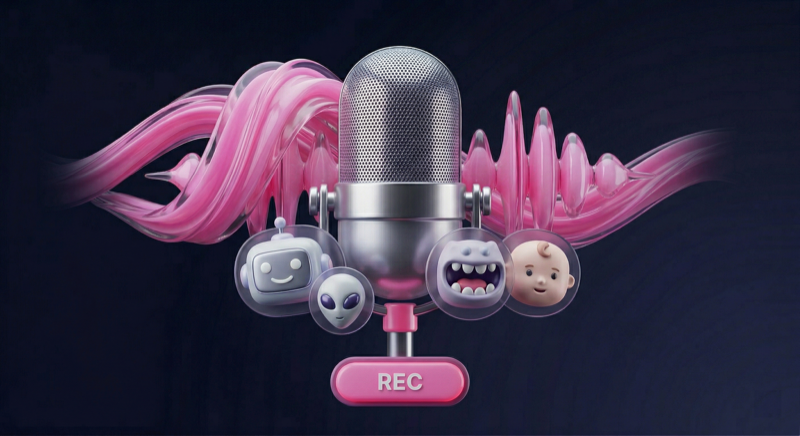
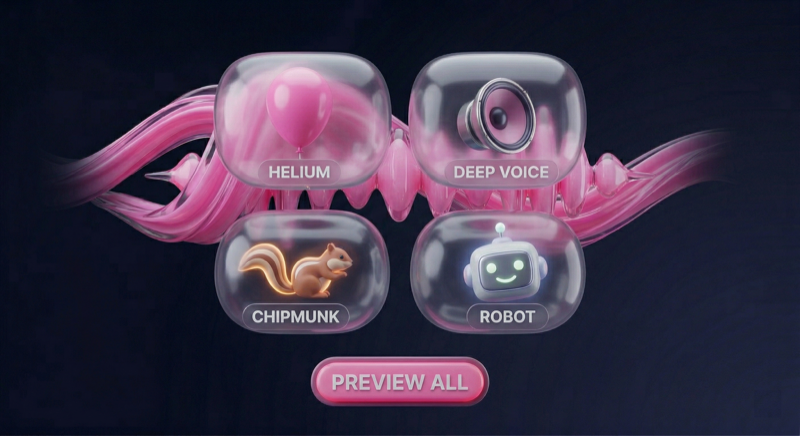
Change your voice with text, audio, or live recording
Explore the voice transformation features
Three ways to change your voice
Type any text and convert it to speech with different voice effects. Perfect for voiceovers and content creation.
Select an audio file and apply voice effects to transform it. Change any existing audio recording.
Record your voice in real-time and apply effects instantly. Hear the transformation as you speak.
Share your voice creations directly to social media, messaging apps, or save to your device.
What people create with Voice Changer
Create funny voice messages to prank friends. Change your voice to sound like a robot, alien, or celebrity.
Add unique voiceovers to your videos. Type text and convert to speech with different character voices.
Record voice messages with effects for WhatsApp, Telegram, or other messaging apps.
Create unique audio content for podcasts, social media, or personal projects with AI voice effects.
Add voice effects to gaming recordings or use different voices for character roleplay.
Create eye-catching content for TikTok, Instagram, or YouTube with unique voice effects.
App details and requirements
| Version | Latest |
| Size | ~25 MB |
| Category | Entertainment |
| Last Updated | March 2026 |
| Android | 5.0+ (Lollipop) |
| Permissions | Microphone, Storage |
| Internet | Optional (premium effects) |
| Storage | 50 MB recommended |
| Sample Rate | 44.1 kHz |
| Bit Depth | 16-bit |
| Effects Library | Varies by version |
| Preview Response | Device-dependent |
| Recording | โ Built-in |
| Sharing | โ Supported apps vary |
| Voice Preview | โ Supported |
| Custom Effects | โ Premium |
Start here, then move to the page that best matches your search intent and setup.
Best for searches about live voice preview, instant effect testing, and supported real-time Android audio setups.
Learn more โBest for gaming, voice chat, roleplay, clips, and supported streaming-related voice changer searches.
Learn more โBest for robot-style, cyborg, and mechanical voice effect searches focused on one effect family.
Learn more โBest for celebrity-style, performer-inspired, and entertainment-focused voice effect searches.
Learn more โBest for call-related, chat-app, and supported voice changer setup searches on Android.
Learn more โFeature overview for the Android app
| Feature | Power Star Voice Changer |
Competitor A | Competitor B |
|---|---|---|---|
| Free Download | โ | โ | โ |
| Voice Effects | Multiple | Varies | Varies |
| Voice Preview | โ | โ | โ |
| Built-in Recording | โ | โ | โ |
| Direct Sharing | โ | โ | โ |
| No Account Required | โ | โ | โ |
| Preview Response | โ | โ | โ |
| Downloads | 3M+ | 1M+ | 500K+ |
Real reviews from Google Play
"Useful for trying different voice styles in gaming clips and character recordings. The app gives me several options to test before I save anything."
"I use the voice effects when preparing short social clips. Which effects feel best depends on the recording and the device I'm using."
"I had fun testing different character-style voices for birthday messages and saved recordings. Some effects worked better than others, but there were plenty to try."
"Helpful for hobby animation and simple voice experiments. I can record a few different takes and pick the one that fits the character best."
"The preview tools make it easier to test voice effects before saving a clip. Response depends on the phone I'm using, but it's useful for quick experiments."
"Sharing saved clips to messaging apps was straightforward on my phone. App-to-app behavior can vary, but the export flow was simple enough for casual use."
Common questions about Voice Changer app
Voice Changer is an Android app with voice effects, preview, recording, and sharing tools for creative audio use. Available effects and performance depend on your device and setup. It has 3M+ downloads on Google Play.
Some gaming, streaming, or live audio setups may support voice effect preview depending on your phone, Android version, and audio routing. Results are not the same on every device.
Yes, the app includes built-in recording so you can save voice clips on your device. Recording quality and save behavior depend on your phone microphone, settings, and available storage.
Yes, Voice Changer is free to download. Availability of ads, optional purchases, and specific features may vary by version.
The app includes multiple voice effects for creative recordings and voice clips. The exact library can vary by version, device, and app updates.
Some recording and preview features may work offline, while other features can depend on your device setup or connection status. Behavior can vary across phones and app versions.
Compatibility depends on your Android version and device. Check the current Google Play listing for the latest supported requirements before installing.
You may be able to share saved recordings through supported apps or keep them on your device. Export and sharing behavior depend on Android version and the apps installed on your phone.
Learn how to get the most out of voice effects
Overview of Android voice changer apps, common feature differences, and creative use cases to compare before you install.
Read guide โLearn how supported preview and recording setups may work for gaming, streaming, and other Android audio use cases.
Read guide โExplore celebrity-style and character-inspired voice effects for entertainment-focused recordings and experiments.
Read guide โUse the main page as your overview, then jump to the scenario page that fits what you want to try.